
Best Smart Gadgets for Home Security in 2026
Table of Contents
- Smart Security Cameras: Indoor and Outdoor Options
- Best Smart Locks for Front Doors and Entry Points
- DIY Home Security Systems vs. Professional Monitoring
- Smart Home Security Privacy Concerns and Data Protection
Last Updated: August 8, 2026
Smart Security Cameras: Indoor and Outdoor Options
Smart security cameras provide real-time visibility around your property with high-definition video, motion detection, and night vision. Outdoor models need weatherproofing and wide field of view for entry points; indoor cameras prioritize discreet placement and two-way audio. Both now include person-detection technology that distinguishes between people, animals, and moving objects, reducing false alarms.
The Look Indoor Home Security 1080P HD Video Surveillance Camera delivers clear 1080p HD video with advanced night vision at $52.24. It includes two-way audio and motion detection with instant notifications. For higher resolution, the 2K Baby Monitor Indoor Security Camera offers 2K resolution at $36.68.


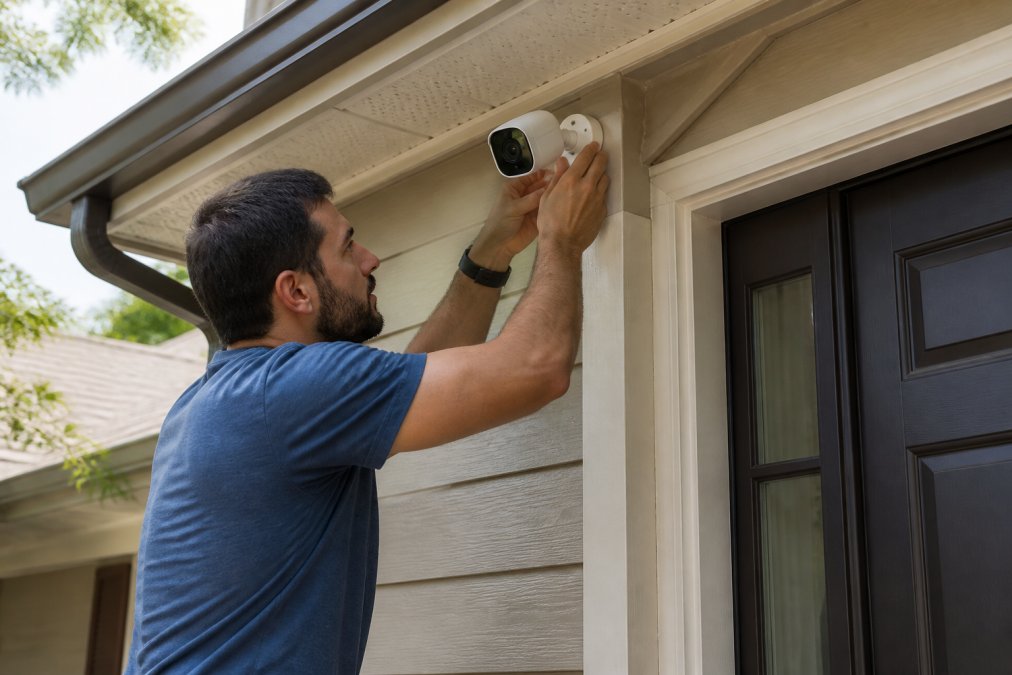
Wireless cameras offer flexibility and can be relocated without running cables, though battery-powered models require regular charging or solar panels. Wired cameras stay powered continuously but demand more installation planning.
Cloud storage lets you access footage anywhere and protects against camera theft but requires subscriptions. Local storage via microSD card keeps everything on the device, eliminating monthly fees and privacy concerns, though you lose footage if the camera is stolen.
Real-time alerts combined with 1080p or 2K resolution capture details like license plates and facial features. Motion detection that filters false alerts keeps your notification stream useful rather than overwhelming.
Best Smart Locks for Front Doors and Entry Points
Smart locks replace traditional keys with digital authentication, letting you unlock your door remotely and grant temporary guest access. The August Wi-Fi Smart Lock installs over your existing deadbolt in under 10 minutes at $199.99. Built-in Wi-Fi eliminates the need for a separate bridge device. It offers remote lock and unlock, guest access management, activity logs, and auto-lock/auto-unlock features. Battery life runs 3-6 months.
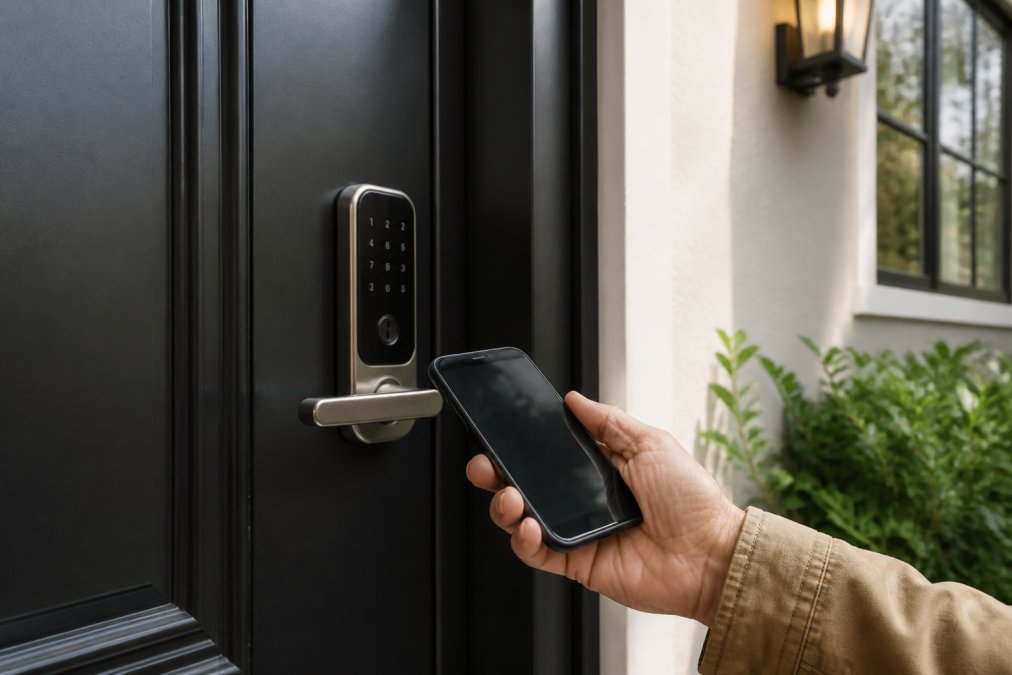
Authentication methods include biometric (fingerprint or facial recognition), keypad codes, and two-factor authentication. Geofencing automatically unlocks your door as you approach, though this carries privacy implications.
Interoperability matters if building a broader smart home ecosystem. Some locks work exclusively with Apple HomeKit, Google Home, or Amazon Alexa, while others support multiple systems. Matter Protocol promises better cross-brand compatibility.
Entry sensors detect whether doors are actually open or closed, sending alerts if a door opens unexpectedly. These inexpensive wireless additions catch what locks alone miss.
DIY Home Security Systems vs. Professional Monitoring
DIY systems cost less upfront but require you to respond to alerts. Professional monitoring means trained operators contact authorities if your alarm triggers.
Ring Alarm Pro's 5-piece kit starts at $199.99 and includes a base station (which doubles as a Wi-Fi 6 router), door/window sensors, and a motion detector. You monitor alerts through the app and decide whether to call police. Optional professional monitoring is available separately.
SimpliSafe offers customizable bundles starting at $199.99 with wireless design requiring no drilling. Optional 24/7 professional monitoring runs separately with no long-term contracts. This flexibility appeals to renters.
Professional monitoring typically costs $15-40 monthly. When your alarm triggers, a monitoring center verifies it's real and dispatches police if needed. This matters for frequent travelers but requires ongoing payment for a service you hope never to use.
Wireless systems dominate DIY installations because they're faster to set up. Most modern DIY systems are wireless, making installation accessible to anyone with a screwdriver.
SimpliSafe and Ring offer cloud storage for recorded video with subscriptions around $10-20 monthly. Eufy uses local storage on the camera itself with no subscription required, though you only access footage through the device.
Smart Home Security Privacy Concerns and Data Protection
Smart security devices collect sensitive data: video footage, access logs, and location information. Understanding where this data goes determines whether you've improved security or created vulnerabilities.
Encryption protects data between your camera and the cloud. HTTPS encryption is standard, but end-to-end encryption prevents even the company from viewing your videos. Two-factor authentication on your account prevents unauthorized access with just a password. Firmware updates patch security vulnerabilities as they're discovered.
Change your Wi-Fi password from the manufacturer's default and use a strong, unique password for your security system account. Disable features you don't use. Separate your security cameras onto a dedicated Wi-Fi network if your router supports guest networks.
Read privacy policies carefully. Some companies sell anonymized data to third parties; others claim never to access your footage. Look for explicit statements about data retention and what happens when you delete footage.
Renters can use battery-powered cameras and adhesive-mounted locks without landlord permission. Portable systems like SimpliSafe appeal to renters because everything moves when you do.
Cameras mounted high and out of reach are harder to disable. Wired systems are more tamper-resistant than battery-powered ones. Some systems send alerts if a camera is physically disconnected or covered.
IP65 rating means dust-tight and protected against water jets; IP67 handles temporary submersion. Outdoor cameras in harsh climates need higher ratings.
Unsecured Wi-Fi lets neighbors access your cameras. Stronger Wi-Fi security (WPA3 encryption, strong passwords) matters more than the camera's features.
Cameras with 6-12 month battery life require frequent charging. Solar-powered models like Eufy's SoloCam S40 ($199.99) eliminate battery anxiety but cost more upfront. Wired systems never need charging but require professional installation.
Smart security works best when matching devices to your actual needs. Indoor cameras like Modernstylliving's Look model handle interior monitoring affordably. Smart locks like August's offer remote access without structural changes. DIY systems suit people wanting control; professional monitoring suits those wanting guaranteed response. Privacy protection requires attention to encryption, two-factor authentication, and firmware updates. Start with cameras covering entry points, add a smart lock to your front door, and expand from there as your comfort with smart home technology grows.
Frequently Asked Questions
What is the best smart security system for a home?
The best smart security system depends on your needs and budget. For renters or those wanting DIY installation, Ring Alarm Pro ($199.99) offers a complete 5-piece kit with Wi-Fi 6 integration. For comprehensive security with professional monitoring, SimpliSafe provides wireless sensors and optional 24/7 monitoring without contracts. For outdoor surveillance, Arlo Ultra 2 delivers 4K HDR video, while budget-conscious users prefer Wyze Cam v3 at $35.98. Modernstylliving stocks the Look Indoor Camera (1080p, $52.24) and 2K Baby Monitor ($36.68) for affordable indoor options.
Do smart home security gadgets require a monthly subscription?
Not all smart security gadgets require subscriptions, though some features may be limited without them. Wyze Cam v3 offers 14 days of free cloud storage and local microSD card storage at no cost. Eufy SoloCam S40 includes 8GB local storage with no subscription required. Google Nest Doorbell provides three hours of free event history. However, advanced features like extended cloud storage, AI person detection, and professional monitoring typically require optional subscriptions ranging from $5-15 monthly. DIY systems like Ring Alarm Pro and SimpliSafe only charge if you add professional monitoring.
How do I choose the right smart security camera for my home?
Consider these factors: resolution (1080p for basic needs, 2K-4K for detail), power source (wired vs. battery vs. solar), night vision capability, storage type (cloud vs. local), and smart home integration. For indoor use, Modernstylliving's Look Indoor Camera (1080p, $52.24) and 2K Baby Monitor ($36.68) offer affordable options. For outdoor wire-free placement, Arlo Ultra 2 ($299.99) provides 4K video and integrated spotlight. Budget buyers should evaluate Wyze Cam v3 ($35.98) for color night vision and weatherproofing. Check if two-way audio, motion detection, and real-time alerts matter for your setup.
What smart home security privacy concerns should I address?
Key privacy concerns include data encryption, cloud storage security, and third-party access. Ensure cameras use end-to-end encryption for video feeds and two-factor authentication for account access. Review manufacturer privacy policies, some store video locally (Eufy SoloCam S40, Wyze Cam v3 with microSD) rather than the cloud. Check which companies share data with third parties and whether they comply with GDPR or similar standards. Update firmware regularly to patch security vulnerabilities. For smart locks like August Wi-Fi, verify activity logs are encrypted and guest access is time-limited. Use strong, unique passwords for all smart home accounts.
Are smart locks worth the investment for home security?
Smart locks offer convenience and security benefits worth considering. August Wi-Fi Smart Lock ($199.99) allows remote access, guest key management, and activity tracking without replacing your entire lock. They eliminate lost keys and enable temporary access for service providers. However, battery life (typically 3-6 months) requires monitoring, and some models depend on Wi-Fi connectivity. Smart locks work best as part of a broader security system with cameras and motion sensors. For renters, battery-powered smart locks avoid permanent installation issues. Evaluate whether remote access and activity logs justify the cost for your household.
This article was written using GrandRanker